


WooCommerce ERP Integration: How to Automate Orders, Inventory, and Invoicing
Managing an online store becomes increasingly complex as order volumes, product catalogs, and sales channels grow. If your store runs on WooCommerce while inventory management, invoicing, or accounting are handled through an ERP system, manually entering data can become a significant source of errors and delays.
A WooCommerce ERP integration connects these two systems, allowing orders, inventory, products, and other operational information to be synchronized automatically.
In this guide, we’ll explain how WooCommerce ERP integration works, which processes can be automated, how synchronization errors are handled, and what businesses should consider before implementation.
What Is WooCommerce ERP Integration?
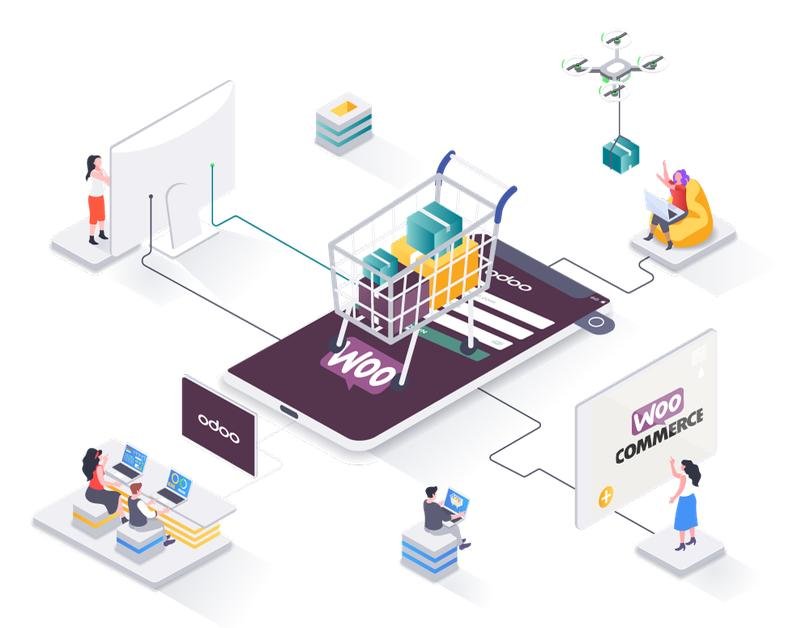
WooCommerce ERP integration is the process of connecting an online store to an Enterprise Resource Planning (ERP) system using APIs, middleware services, or specialized connectors.
WooCommerce manages the online shopping experience, product listings, shopping carts, and customer orders. The ERP system can handle inventory, purchasing, commercial documents, and other internal business processes.
By integrating these platforms, information flows automatically between them, eliminating the need to manually copy data for every transaction.
What Business Operations Can Be Automated?
1. Order Synchronization
When a customer places an order, WooCommerce can automatically send the following information to the ERP system:
- Order ID and creation date;
- Ordered products and quantities;
- Prices, taxes, and discounts;
- Customer information required for processing;
- Payment and shipping methods;
- Order status.
This allows employees to process orders directly within the ERP system without manually entering the same information multiple times.
2. Product and Inventory Synchronization
The ERP system can serve as the primary source of inventory availability.
When stock levels change in a warehouse, the integration can automatically update the available quantities in WooCommerce.
Synchronization can also work in the opposite direction, allowing WooCommerce to send orders and relevant inventory-related changes back to the ERP.
Clear rules must be established for inventory reservations, canceled orders, returns, and simultaneous stock modifications.
3. Price Synchronization
Depending on the ERP architecture, product prices can be managed centrally and automatically synchronized with the online store.
The integration may support standard prices, selected discounts, or specific pricing lists, with clearly defined rules for promotions managed directly in WooCommerce.
4. Invoicing and Business Documents
An integration can automatically send the necessary information to an invoicing module or retrieve details about invoices and other documents generated within the ERP system.
Available functionality depends on the ERP platform, invoicing solution, and applicable tax regulations.
5. Order Status Updates
Once an order is processed in the ERP system, WooCommerce can automatically receive updates about order preparation, shipping, or cancellation, depending on the implemented workflow.
How Does the WooCommerce–ERP Order Workflow Work?
A typical WooCommerce ERP integration follows these steps:
- The customer places an order in the WooCommerce store.
- WooCommerce saves the order and notifies the integration service through a webhook.
- The integration service validates the data and prepares the information for the ERP system.
- The order is sent to the ERP, where it can be registered and processed.
- The ERP updates operational information according to the configured business rules.
- The integration service sends relevant status updates back to WooCommerce.
In more complex implementations, messages are processed asynchronously through a message queue.
This approach supports high order volumes and allows the integration to recover when one of the connected systems becomes temporarily unavailable.
How Does Bidirectional Inventory Synchronization Work?
Bidirectional synchronization does not mean that both systems should freely modify the same information.
Instead, businesses typically establish a single source of truth for inventory data.
For example, the ERP manages physical inventory availability, while WooCommerce sends orders that trigger inventory reservations or stock reductions.
A reliable implementation should consider:
- Product identification through SKUs or unique identifiers;
- Physical, reserved, and available-to-sell inventory;
- Multiple warehouses or inventory locations;
- Orders placed simultaneously;
- Cancellations and product returns;
- Manual inventory adjustments;
- Periodic synchronization to identify discrepancies.
Important: Asynchronous inventory updates alone do not guarantee that overselling will be prevented. Additional inventory reservation mechanisms and concurrency controls may be required.
Technical Architecture of a WooCommerce ERP Integration
A custom WooCommerce ERP integration can use several components:
- WooCommerce REST API – Retrieves and updates information within the online store;
- Webhooks – Notify the integration service about important events and changes;
- Middleware – Validates, transforms, and maps data between systems;
- Message Queue – Enables reliable asynchronous processing;
- ERP API – Handles communication with the business management system;
- Monitoring System – Tracks errors, generates alerts, and maintains operational logs.
This architecture separates order processing from the immediate availability of the ERP system and provides greater control over data synchronization.
It can also make the integration easier to maintain and extend as business requirements evolve.
What Happens If Synchronization Fails?
A reliable integration must be designed to handle technical failures, not just successful operations.
The ERP System Is Unavailable
Orders can remain in a processing queue and be automatically retried once the connection is restored.
This helps prevent temporary ERP outages from interrupting the entire order processing workflow.
An Order Is Sent Twice
Unique identifiers and idempotency mechanisms help prevent duplicate orders from being created in the ERP system.
These mechanisms are particularly important when automatic retries are enabled.
Product Information Does Not Match
The integration service should detect missing products, incorrect SKU mappings, or inconsistent data.
Affected operations can then be flagged for review rather than being processed incorrectly.
Inventory Levels Are Different
A periodic reconciliation process can compare inventory information between WooCommerce and the ERP system.
Any discrepancies can be identified and corrected according to predefined business rules.
Standard Plugin vs. Custom WooCommerce ERP Integration
Businesses can choose between an existing integration plugin and a custom-developed solution.
| Criteria | Standard Plugin | Custom Integration |
|---|---|---|
| Implementation | Usually faster | Requires analysis and development |
| Features | Limited to connector capabilities | Adapted to specific business workflows |
| Multiple Warehouses | Depends on plugin support | Custom rules can be implemented |
| Asynchronous Processing | Depends on the solution | Can be explicitly designed |
| Monitoring | Varies by plugin | Can include dedicated logs and alerts |
| Maintenance | Plugin updates and compatibility | Ongoing support for the developed integration |
A standard plugin may be sufficient for straightforward requirements and supported ERP platforms.
However, businesses with complex workflows, multiple warehouses, specialized pricing rules, or high transaction volumes may benefit from a custom WooCommerce ERP integration.
How Much Does WooCommerce ERP Integration Cost?
The cost of WooCommerce ERP integration depends on the complexity of the connected systems and the business processes that need to be automated.
The main factors influencing development costs include:
- Availability and quality of the ERP API documentation;
- Number of operations requiring synchronization;
- Need for bidirectional data synchronization;
- Number of products, orders, and warehouses;
- Custom business rules and workflows;
- Monitoring and security requirements;
- Testing, infrastructure, and ongoing maintenance.
A simple integration that only transfers orders from WooCommerce to an ERP system generally requires less development effort than a comprehensive solution.
A more advanced integration may synchronize products, prices, inventory, invoices, returns, and multiple sales channels.
An accurate cost estimate starts with analyzing the existing ERP platform and understanding the company’s operational workflows.
Frequently Asked Questions About WooCommerce ERP Integration
Can WooCommerce Be Integrated With Any ERP System?
Many ERP systems can be connected to WooCommerce through APIs or other data exchange interfaces.
However, integration feasibility and complexity depend on the capabilities and technical limitations of the specific ERP platform.
Can Inventory Be Synchronized in Real Time?
Inventory updates can be performed in near real time or at scheduled intervals.
The appropriate approach depends on the integration architecture, API availability, and operational requirements.
Will the Integration Affect My Existing WooCommerce Store?
A properly planned implementation includes a testing environment, workflow validation, and a controlled deployment process.
These measures help minimize risks and reduce disruption to daily store operations.
Do I Need an Additional Server?
Not necessarily.
Depending on transaction volume and integration complexity, the solution may run on existing infrastructure or require a dedicated integration service.
What Happens to Orders If the ERP Goes Offline?
With an architecture that supports asynchronous processing, orders can remain safely queued until the ERP system becomes available again.
Failed operations can be retried and monitored to ensure that issues are identified and resolved.
Conclusion: Why Integrate WooCommerce With Your ERP?
WooCommerce ERP integration can help businesses reduce manual work, improve data consistency, and simplify the management of orders, inventory, and commercial documents.
By connecting the online store with internal business systems, companies can create more efficient workflows and reduce the risk of errors caused by repetitive data entry.
The right solution depends on existing business processes, the systems already in use, and the volume of daily operations.
Whether you need basic order synchronization or a comprehensive integration covering inventory, pricing, invoicing, and multiple sales channels, choosing the right architecture is essential for long-term reliability and scalability.
Need a Custom WooCommerce ERP Integration?
At SaveMarSoft, we develop custom API integrations and software solutions that connect business applications and automate operational workflows.
If your WooCommerce store and ERP system are not communicating efficiently, we can analyze your existing processes and identify an integration solution tailored to your business needs.