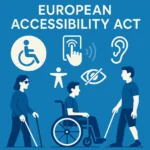


European Accessibility Act: A New Era for Inclusive Digital Design in the EU
Digital inclusion is no longer optional—it’s a legal requirement. With the introduction of the European Accessibility Act (EAA), the European Union has made a powerful statement: everyone, regardless of age or ability, must be able to access digital products and services.
This post breaks down what the EAA means, who it affects, and what businesses must do to ensure compliance—especially when it comes to creating accessible websites, apps, and digital content.
What Is the European Accessibility Act (EAA)?
The European Accessibility Act (Directive 2019/882) is a legally binding directive adopted by the EU in 2019. Its goal is to harmonize accessibility standards across member states, making it easier for people with disabilities and older individuals to access essential services and technology.
Key objectives:
- Remove accessibility barriers in digital services
- Ensure fair access to online platforms, hardware, and software
- Support the rights of people with disabilities under the UN Convention
Deadline for compliance: June 28, 2025
Who Must Comply with the EAA?
The law applies to both public and private entities offering key digital services or products in the EU. This includes:
- Websites and e-commerce platforms
- Banking and financial services
- Ticketing machines, ATMs, and self-service kiosks
- Smartphones, tablets, and computers
- eBooks and reading apps
- Public transport booking systems
- Government websites and mobile apps
Micro-enterprises (under 10 employees and under €2 million annual turnover) are exempt—but accessibility is still recommended.
What Does Accessibility Mean Under the EAA?
To comply with the EAA, digital products and services must be:
Perceivable
- Use alt text for images
- Provide captions and transcripts for audio/video
- Ensure readable fonts and sufficient color contrast
- Avoid relying on color alone to convey information
Operable
- All functionalities must work via keyboard navigation
- Provide focus indicators for interactive elements
- Avoid content that causes seizures (e.g. flashing)
Understandable
- Use clear, simple language
- Keep layout and navigation consistent across pages
- Offer error messages and suggestions for corrections
Robust
- Ensure content works across different devices and assistive technologies (screen readers, Braille displays, etc.)
- Follow recognized standards like WCAG 2.1 AA and EN 301 549
How to Make Your Website or App Compliant
- Conduct an Accessibility Audit
Use tools like WAVE, Lighthouse, or AXE DevTools to test your current accessibility level. - Follow WCAG Guidelines
The Web Content Accessibility Guidelines (WCAG 2.1 AA) are the core framework behind the EAA’s technical requirements. - Use Semantic HTML
Proper use of headings (<h1>–<h6>), lists, labels, and ARIA attributes helps screen readers and assistive tech. - Ensure Responsive Design
Your site must be usable on mobile, tablet, and desktop—especially for people who rely on screen magnifiers. - Provide Alternative Formats
Let users download documents in accessible formats (e.g. tagged PDFs, plain text). - Test with Real Users
Involve people with disabilities in usability testing. Their feedback is the most reliable way to catch gaps.
Multimedia and Accessibility
If your site contains audio or video content:
- Add captions, transcripts, or sign language interpretation
- Include pause/play buttons and volume controls
- Avoid autoplaying videos with sound
Failure to comply could result in:
- Fines and administrative sanctions (depending on country)
- Loss of public sector contracts
- Legal action or reputational damage
Benefits Beyond Compliance
Making your site accessible isn’t just about avoiding penalties—it’s about serving all users better.
Benefits include:
- Reaching a wider audience (including 100+ million EU citizens with disabilities or age-related conditions)
- Improved SEO performance (search engines favor accessible sites)
- Enhanced usability for all users (especially on mobile)
- Positive brand image and trust
Useful Resources
- European Commission: Accessibility Act Overview
- Web Content Accessibility Guidelines (WCAG 2.1)
- EN 301 549 Standard
The European Accessibility Act represents a major shift toward digital equality. By making your digital platforms accessible, you’re not only meeting legal requirements—you’re respecting human rights, improving user experience, and building a stronger, more inclusive brand.
Start preparing now. Accessibility isn’t just a checkbox—it’s a responsibility. Contact Us to help you respect your elders!